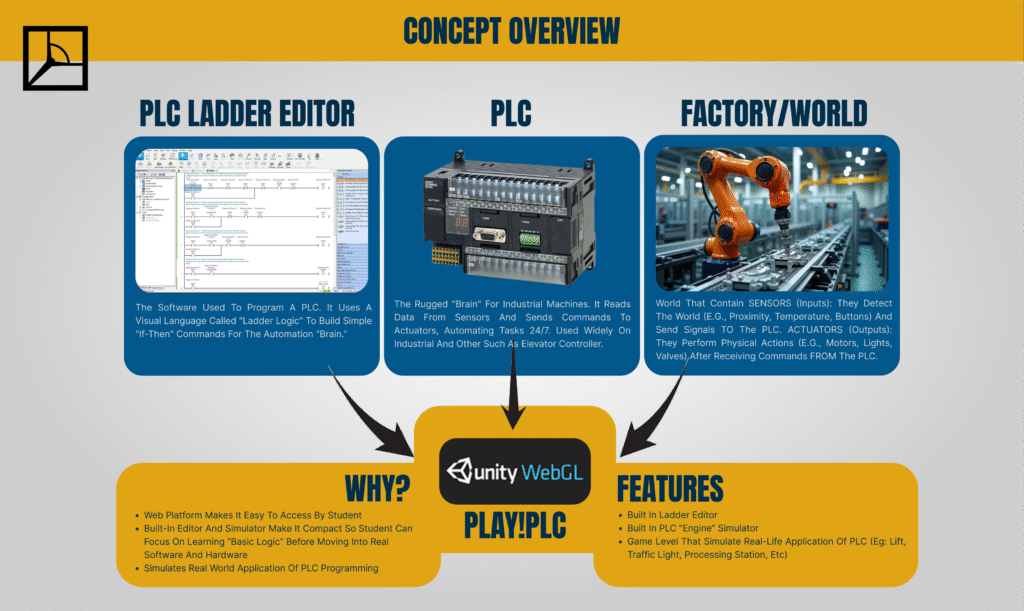
Overview PLAY!PLC is a 3D game simulation program designed as an educational medium for learning Programmable Logic Controller (PLC) programming and operation. Its primary features are: 1) a built-in PLC game simulator complete with a ladder editor, and 2) 3D visuals, such as machinery or environments, that function as controllable visual actuators. This software is developed using Unity3D, with an emphasis on fostering an understanding of PLC logic and ladder programming.
Concept and Program Components PLAY!PLC comprises three main “parts”: the Ladder Editor, the PLC Simulator, and the World (a 3D simulation environment, such as a factory or other settings). These three elements are packaged within a single game application, enabling users to operate it without requiring additional software or hardware.PLC logic and ladder programming.
Levels PLAY!PLC incorporates a level-based structure. Each level is designed to replicate real-world PLC application cases. Examples include an assembly machine, an elevator, or a traffic light system.
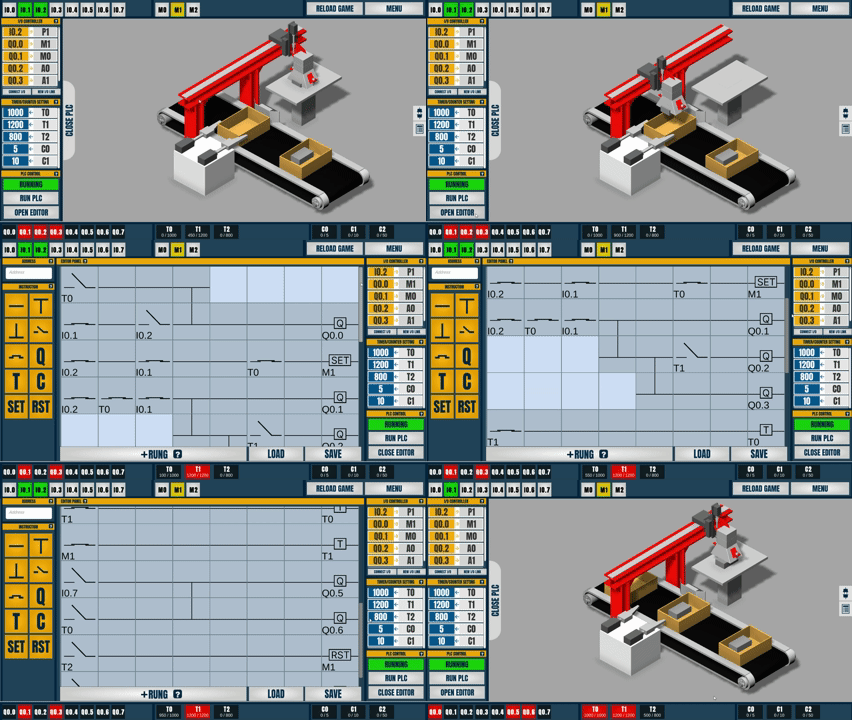
To start the preset program on Level 4 – Box Cover -Click [Open PLC] -Click [Open Editor] -Click [Load] -Load the downloaded JSON file (this is the PLC Ladder Program) -Click Close Editor to minimize the editor panel -Click RUN PLC to start -Click I0.7 (On Upper Control Panel) for Spawning The Object (this button is programmed for letting the object enter the line) -Click I0.1 to Start ( This button IO is programmed to start the line system) -You can learn how the PLC Ladder program by reopening the editor panel [Open PLC -> Open Editor]
Attention: It may take a few moments to download the game content. If the game freezes or encounters an error, please reload this page.
To enter full screen mode, press the blue button in bottom-right. to exit full screen. press ESC.